We’ve recently upgraded several servers from Lucee 5 to Lucee 6.2.2.91. All our datasources are configured to use the Microsoft SQL Server driver with the following settings:
Connection limit (max): 200
Connection idle timeout: 10 minutes
Connection timeout: 15 minutes
After some time in production, we noticed that database connections are exceeding the configured limit of 200 and are not being properly closed. This leads to timeouts in our Lucee web applications and a significant performance degradation.
We understand that Lucee 6 introduced enhancements to connection pooling and is now using Apache Commons Pool2. We suspect the new pooling mechanism may be affecting our configuration.
Could you please advise us on the correct or recommended datasource settings in Lucee 6 to prevent connection leaks or exhaustion? We’d also appreciate any best practices or updated documentation regarding connection pool management in the new version.
In some cases, we had to roll back to Lucee 5 to restore normal functionality, where everything works without these issues.
Environment Details:
Operating System: Windows Server 2016 & 2022
Java Version: Eclipse Adoptium 21.0.8 (64-bit)
Tomcat Version: Apache Tomcat 11.0.9
Lucee Version: 6.2.2.91
Looking forward to your support and recommendations.
For now I have more questions than answers, while we await anyone offering those:
Since you list two windows versions, is the new Lucee 6 running on both? And does the problem seem the same on both?
Or might the old machine run the old Lucee version? If so, have you tried running Lucee 6 on the old machine? Even just for a test (if not prod traffic), to confirm whether the problem happens with Lucee 6 on the old machine? If it does not, that exonerates Lucee and points to some other change in the new box (or network, security, a/v, firewall, etc.)
Along the same lines, is the sql server unchanged between the Lucee 5 and 6 calling into it? Or might each point to a different sql server, perhaps as different versions or each on different machines themselves? That could be important to know.
And do you have any dsn connection string values out of the norm? (And if you may define the DSN in your app to override the same one in the admin, be sure to assess the former.)
How are you measuring the connections? And are you observing things from both the Lucee and db side?
Finally, are you using anything to measure the rate of traffic (into Lucee, or into the db), confirming there is no dramatic increase to explain what you have observed? Don’t presume “it can’t be that” as “nothing changed but the Lucee version”. If you do measure the traffic, let us know what you’re using. It could matter.
Even if someone else may have a different “answer” for you, based solely on what you’d offered, if you offer brief replies to the above it may help refine what they’d offer.
Since you list two windows versions, is the new Lucee 6 running on both? And does the problem seem the same on both?
Lucee 6 is running on both Windows Server versions (2016 and 2019) and the problem is the same on both.
The only difference is that the server with Windows Server 2016 has more than 100 datasources than the one with Windows Server 2019 (only 2).
Or might the old machine run the old Lucee version? If so, have you tried running Lucee 6 on the old machine? Even just for a test (if not prod traffic), to confirm whether the problem happens with Lucee 6 on the old machine? If it does not, that exonerates Lucee and points to some other change in the new box (or network, security, a/v, firewall, etc.).
Machines are the same, only Lucee version was changed from 5 to 6. Everything else is the same.
Along the same lines, is the sql server unchanged between the Lucee 5 and 6 calling into it? Or might each point to a different sql server, perhaps as different versions or each on different machines themselves? That could be important to know.
SQL Server is unchanged, both machines are using Microsoft SQL Server 2022.
But we have a third machine with Lucee 6 and also Microsoft SQL Server 2022 and it is working fine. Difference is that it has a datasource connection limit (max) of infinitive, but in my opinion that should not be infinite.
And do you have any dsn connection string values out of the norm? (And if you may define the DSN in your app to override the same one in the admin, be sure to assess the former.)
We are not overriding anything regarding the DSN in our app. Datasources are defined in Lucee admin only. Some datasources are created in admin also using cfadmin api, but with the same settings as in Lucee admin.
How are you measuring the connections? And are you observing things from both the Lucee and db side?
Finally, are you using anything to measure the rate of traffic (into Lucee, or into the db), confirming there is no dramatic increase to explain what you have observed? Don’t presume “it can’t be that” as “nothing changed but the Lucee version”. If you do measure the traffic, let us know what you’re using. It could matter.
No, we are just limiting datasource settings using:
Connection limit (max): 200
Connection idle timeout: 10 minutes
Connection timeout: 15 minutes
Currently we are not measuring it but only monitoring it using Fusion Reactor and SQL queries in SQL Server. When our app slowed down we checked datasources in Lucee admin and we saw a number of 200 in “Active” column for problematic datasource.
And customers started complaining about slow response times and timeouts.
Nothing more.
Even if someone else may have a different “answer” for you, based solely on what you’d offered, if you offer brief replies to the above it may help refine what they’d offer."
Ok on all that. So it seems you’re still going with there’s unexpected behavior from Lucee 6.
I’ll just note first, regarding those 2 other discussions: in the first one, I pressed the same points and the OP found their app was unexpectedly running hundreds times more queries than they’d expected (though they didn’t clarify WHY that had happened.) And the second one you listed was a problem reported about Lucee 5, so would seem unrelated.
Again, while you may await someone offering the specific solution you seek, since you have FR, can you confirm that there’s no unexpected sudden spike in requests or queries (or a larger volume than you’d expect compared to when run on Lucee 5)?
There are different ways to do that, from its graphs (such as jdbc>jdbc activity graph and requests>request activity graph), to the metrics>archived metrics (and its graphs in the first page shown, for the resources log). That archived metrics also has a spreadsheet view of the dbpoolstats log, showing that count of jdbc connections over time (which perhaps you’re watching live instead via metrics>cf metrics).
And FWIW the archived metrics view let’s you watch things per hour as far back as 30 days (with the data at 5-second averages), while those metrics graphs above offer only fixed views of averages over a minute, hour, day, and week.
Finally if it’s indeed a specific dsn exhibiting the behavior, consider also the jdbc>datasources page, which lists the most frequent queries for each dsn (and over different time intervals, selected via a drop down at the top of the page). Many never even notice that feature, and while it has its limitations, it’s another way that might help you spot unexpectedly high query volumes.
Then of course there’s also fusionreactor cloud, if you’re using that, which offers much the same info and more, and has far more granularity in querying metrics and log data.
But if you either feel you’ve exhausted all these to no avail and/or feel confident this must be a Lucee bug or config issue, I’ll tap out and leave it to others who may be better able to help you.
I consider those two values to be excessive. What did you base them on?
Since connections are parallel processes, the maximum number of them being maintained is related to the number of CPU cores of the server. A common rule of thumb is:
Max Connection Limit = 2 to 4 times the number of CPU cores
See the references below.
So, let’s say the server has 8 CPU cores. Suppose further that the Lucee application is quite dynamic, makes intensive use of data and serves several thousand users daily. Then the rule of thumb says a limit of between 16 and 32 should be fine. Therefore, making allowances, I would suggest:
Connection limit (max): 50
Next, the Connection Timeout. This is the maximum time Lucee will wait for a new connection to be established before throwing an error. Generally, you want the process to fail fast. So the wait should be in the order of 30 seconds to 1 minute. In any case, 15 minutes is excessive. Making allowances, I would suggest:
Connection timeout: 1 minute
You could stretch the two values beyond what I have suggested, but you should have a good reason for doing so.
Finally, we also get a hint from the wisdom of all the experience in Tomcat. The Tomcat properties that correspond to Lucee’s Connection Limit (max) and Connection Timeout are, respectively, MaxActive and MaxWait. The Tomcat JDBC Pool documentation says that the default values are:
I think we may have something similar. We have roughly the same level of requests against 6.2.2.91 as we had against 5.x, and we’re setting really odd beahviour.
Twice now, one Application (in the .cfc name attribute sense) among tens of them has locked up, refusing to run any more queries. It throws a has run into a timeout error for our page timeout, always pointing at a query that normally reruns in a few ms.
I’ve seen the later RC releases but there doesn’t seem to be anything directly related.
The stack trace is deep in the guts, but a snippet looks like this. We’re not using any complicated connection parameters.
We think it may not be returning connections to the pool, or failing to expire them ?
at java.base/jdk.internal.misc.Unsafe.park(Native Method) at
java.base/java.util.concurrent.locks.LockSupport.park(Unknown Source) at
java.base/java.util.concurrent.locks.AbstractQueuedSynchronizer$ConditionNode.block(Unknown Source) at
java.base/java.util.concurrent.ForkJoinPool.unmanagedBlock(Unknown Source) at
java.base/java.util.concurrent.ForkJoinPool.managedBlock(Unknown Source) at
java.base/java.util.concurrent.locks.AbstractQueuedSynchronizer$ConditionObject.await(Unknown Source) at
org.apache.commons.pool2.impl.LinkedBlockingDeque.takeFirst(LinkedBlockingDeque.java:581) at
org.apache.commons.pool2.impl.GenericObjectPool.borrowObject(GenericObjectPool.java:439) at
org.apache.commons.pool2.impl.GenericObjectPool.borrowObject(GenericObjectPool.java:356) at
lucee.runtime.config.DatasourceConnPool.borrowObject(DatasourceConnPool.java:34) at
lucee.runtime.db.DatasourceManagerImpl.getConnection(DatasourceManagerImpl.java:79)
Sorry, no. This is the ‘rootcause’ structure from our exception handler. It ends
org.apache.tomcat.util.threads.TaskThread$WrappingRunnable.run(TaskThread.java:59) at java.base/java.lang.Thread.run(Unknown Source)
And points at our Applicaton.cfc in the missing middle, which is using onRequestEnd and q=new Query(sql=...);q.addParam(....);q.execute() to insert a record of the request.
I can DM you the full stack trace but thought it a little long to put here
That’d be useful. We could probably run that in live and export the results to keep track. On v6.2.2.91 I get No matching function [GETSYSTEMINFO] found - do I need to do something to unhide it or invoke it in a special way ?
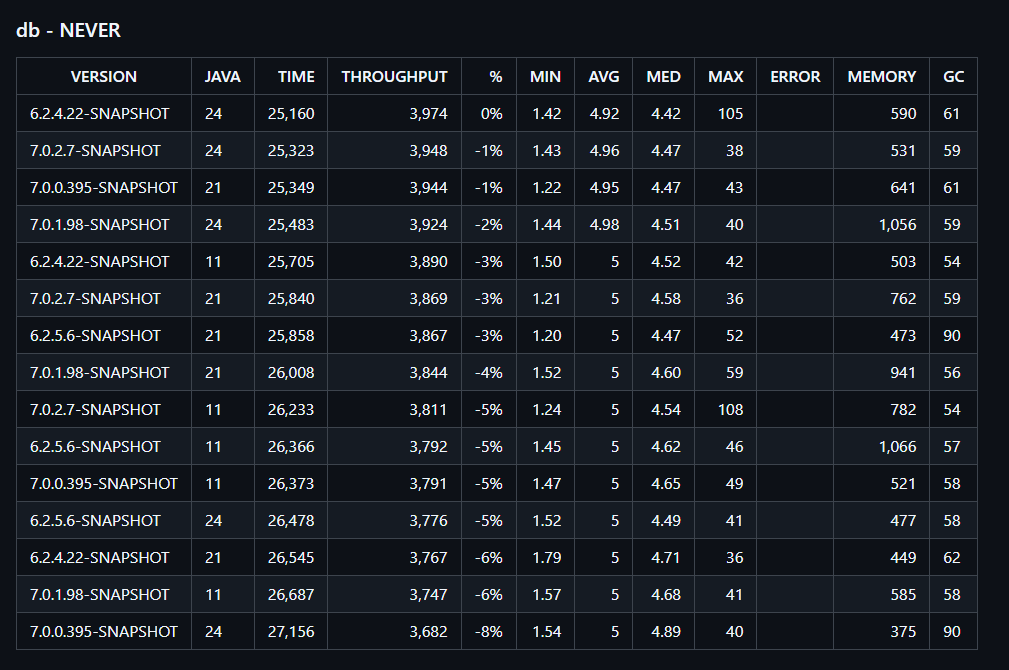
try either the 6.2.5.3 or 7.0.2.4 SNAPSHOTS and report back
We’re going to be doing several things now the issue has been identified As well as simply raising our connection pool sizes in prod ASAP…
If I can find a way to crash our dev sites with the same lock up, then I can try a SNAPSHOT today.
We were just about to start trying the 6.2.4 RC (because we are seeing the memory leak it fixes).
Is there any chance of getting the datasource connection pool fix into an earlier release, given it seems fairly serious ?
Yup, a 2nd RC for 6.2.4 would be wonderful. We can test the memory leak fix too then.
I’d not seen your repo cases, I’ve not been able to repo it yet using ab (even using what for us are extreme settings such as 100 simultaneous, 5000 total). We’d just get “too many connections” at the limit and it’d return to normal when load dropped.
That’s a good test, but something subtly different to what I was trying to do with ab.
I’m fairly sure the same fixes will help us out though, because it’ll make sure the pool empties faster, and esp. removes stale connections if the evict thread actually runs
Current state of play, probably will just end up doing a very quick follow up 6.2.5 RC, to 6.2.4 RC with these changes
The more people who tell me they have tested it and it’s all working great, the faster this code get’s published as a stable, catch-22, but those are the ground rulez!

 As well as simply raising our connection pool sizes in prod ASAP…