Hi all,
I am currently upgrade the lucee pdf extension from 1.0.66 to the latest 2.0.0.2.
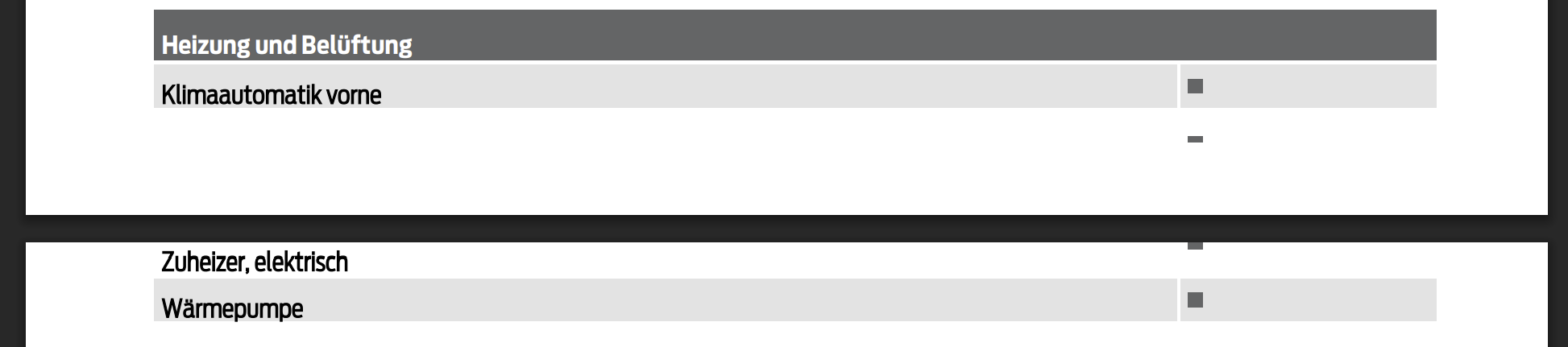
The old version recognized table breaks and then moved them to a new page.
The new doesn’t so:
I can’t find any new documentation or setting for this - could you please help me?
Is there a “best practices” to upgrade or a guide to upgrade?
Don’t forget to tell us about your stack!
OS: Ubuntu
Java Version: 21
Tomcat Version: 11.0.18
Lucee Version: 7.0.1.100
The only change rendering wise would be the upgraded pdml4
https://luceeserver.atlassian.net/browse/LDEV-6099
can you share a code example?
Lucee 6.2.5.48 with pdf-extension-1.0.0.66
Lucee 7.0.2.106 with pdf-extension-2.0.1.0
lucee6.pdf (40.4 KB)
lucee7.pdf (2.4 KB)
Example Script:
test_pdf.cfm (1.4 KB)
No clue why the table head is missing, but I hope this is not the reason? Do you need more details or examples?
at a first glance, your markup is invalid, you have <th> instead of <tr> ?
   <thead>
                <th>
                    <th width=200px>Column 1</th>
                    <th width=200px>Column 2</th>
                    <th width=200px>Column 3</th>
                </th>
            </thead>
You are right, but the result is the same.
lucee7_v2.pdf (2.5 KB)
test_pdf.cfm (1.4 KB)
@michaeldiederich , Tested table rendering in Lucee 6.2.5.48 (PDF Extension 1.2.0.12) and Lucee 7.0.2.106 (PDF Extension 2.0.1.0); no table breakage or missing headers observed. Upgrade is stable for PDF table output.
@cfmitrah thank you for your feedback. I am upgrading from the 1.0.0.66 pdf extension.
Then why didn’t the table wrap to the next page in my example? Is there a setting for that?
We’re currently unable to reproduce the problem, does it happen with a fresh Docker instance!
You cannot reproduce the output from my example pdf?
To reproduce:
docker pull lucee/lucee:7.0.2.106-nginx-tomcat11.0-jdk21-temurin-noble
docker run -i -p 8888:8888 -t lucee/lucee:7.0.2.106-nginx-tomcat11.0-jdk21-temurin-noble
Open the docker container, install nano and copy&paste the test_pdf.cfm into /var/www/test_pdf.cfm, open http://localhost:8888/test_pdf.cfm