Hello Martin (and Andreas),
I’ve taken another look at the Websockets and followed your steps for implementing the IIS proxy. And suddenly I got a 502 error websocket error. So for me that was good news because I see another error. After looking at the steps a bit I changed “{HTTP_HOST}” to the server IP and OMG i got a connection through the HTTPS domain! The image in the first post is now:
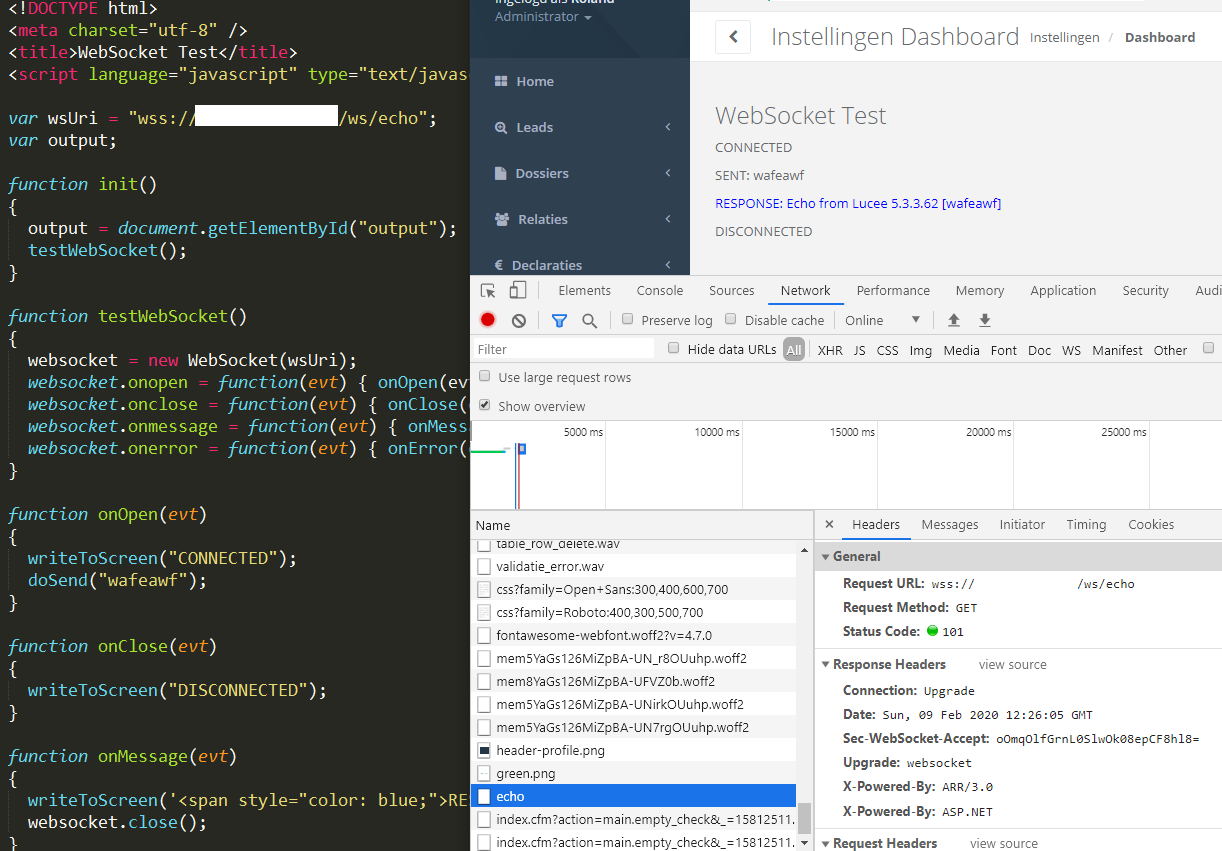
So because I have the server IP as a redirect I understand it goes to another listener outside this domain.
I still have an error in the chat application because the connection is immediately closed while using the ChatListener. See following image (I removed our domain name from the image):
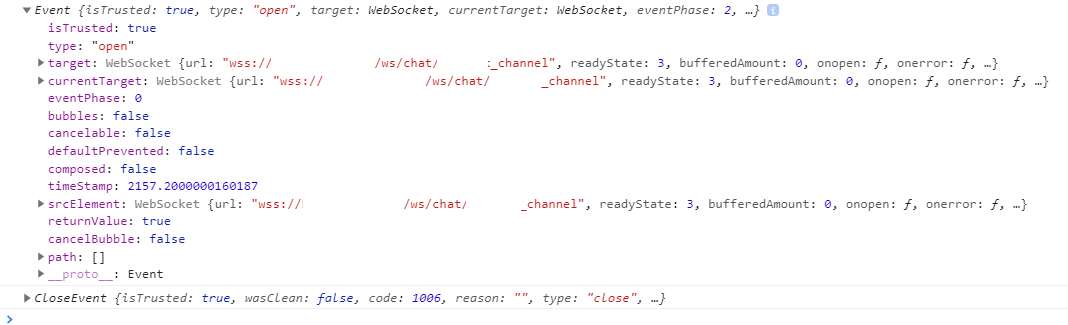
I think it is because I see an error in the websocket log file while trying to connect the chat.
The following error:
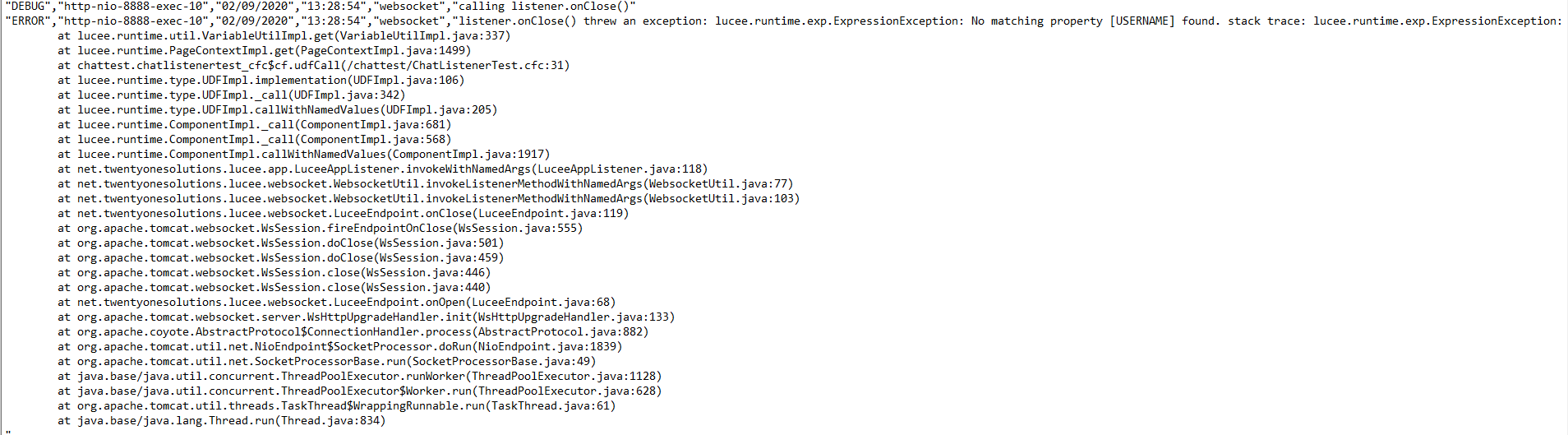
The username doesn’t exist in the property. But if I look at the Lucee websocket chat example then they also use the username property.
But still I got some life instead of the 404 error, so THANKS! I will continue to get it all working again and I hope we get a steady websocket connection. But the information you guys provided have made me understand the websockets a little better and how the connection works. I also hope this thread help others who have difficulty implementing the websocket protocol. It’s a cool technique and a must have for notification/chat functionality.
Thanks!
DrunkenMoose
P.S. if you understand the username error then don’t hesitate to give a clue;)