Redis - unable to connect

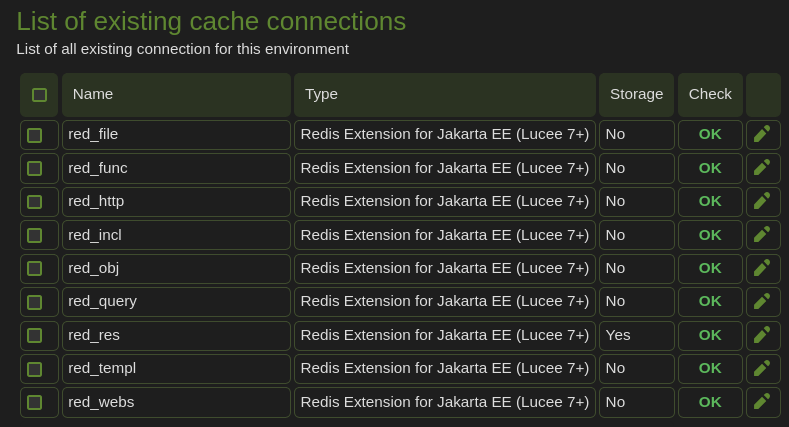
“The Redis client was not able to create a connection to [127.0.0.1:6379]” when trying to create a new cache connection (Cache - Services) of type Redis Extension for Jakarta EE (Lucee 7+). I tried everything I could think of:

Host: localhost
Host: http://localhost
Host: redis
Host: 127.0.0.1
Host: http://127.0.0.1
Host: 0.0.0.0
Host: http://0.0.0.0
Host: 10.90.0.5 (Redis docker auto-assigned IP)
Host: http://10.90.0.5
Host: 192.168.1.9 (host IP)
Host: http://192.168.1.9

Port: 6379 (for all of the above)
with Username & Password and also tried without it (Direct Authentication)

  • “redis” is the name of the Redis container
  • in my desperation I also tried to enter the path of the Redis socket in the Host field: /tmp/redis/redis.sock that has been mounted to the Lucee docker, alas it won’t accept an empty string for the port, just 0.
  • the Lucee and Redis containers are on the same network, both are healthy
  • I am able to connect to Redis from inside its container and also from others via TLS, port 6379 (same for container and host)
  • the Redit user “lucee” and password were created & verified beforehand.
  • log files do not show anything relating to this failure of connecting, unless I don’t know where to look.
this.cache.connections["red_func"] = {
	  class: 'lucee.extension.io.cache.redis.simple.RedisCache'
	, bundleName: 'redis.extension'
	, bundleVersion: '4.0.0.2'
	, storage: false
	, custom: {
		"timeToLiveSeconds":0,"connectionTimeout":"5000",
		"host":"127.0.0.1",
		"secretName":"",
		"secretKey":"",
		"socketTimeout":"2000",
		"idleTimeout":"300000",
		"username":"lucee",
		"accessKeyId":"",
		"maxLowPriority":"0",
		"port":"6379",
		"liveTimeout":"3600000",
		"region":"",
		"password":"myredispassword",
		"minIdle":"0",
		"maxIdle":"8",
		"maxTotal":"24"
	}
	, default: 'function'
};

What am I missing? Anyone managed to configure it working? There are not much other options to play with as I can see. Any help would be appreciated.

OS: Linux (6.12.0-211.61.1.el10_2.x86_64_v2) 64bit
Java Version: 25.0.3
Tomcat Version: 11.0.25
Lucee Version: 7.1.0.204
Redis Version: 8.10.2 (separate docker container)

P.S: Would be nicer to have a Unix Socket (UDS) option for connecting to the existing Redis socket. Faster, local and works more reliably.
Hi Stevie,

Welcome! I think two things are getting in each other’s way here.

1. Host
Inside the Lucee container, 127.0.0.1 and localhost point at the Lucee container itself, not at Redis. So that error just means nothing is listening on 6379 there. Use the container/service name as the host, without http://:

host: "redis", port: 6379

Docker only resolves redis when both containers are on a user-defined network (any docker compose network is), not on the default bridge.

2. TLS
You mentioned the other clients connect to Redis via TLS on 6379. If Redis runs TLS-only (port 0 + tls-port 6379), the extension won’t get through, because it connects in plain text unless you tick the SSL checkbox in the cache settings (ssl: true in the custom struct). Your config has no ssl entry, so it’s off. You have two options:

  • Simplest, inside a private Docker network: also enable a plain port in redis.conf, e.g. port 6380 next to tls-port 6379, and point Lucee at redis:6380. Don’t publish that port to the host.
  • Keep TLS: set ssl: true. The extension uses Java’s default SSL settings, so:
    • the Lucee container’s JVM has to trust your Redis CA (import ca.crt into the JDK’s cacerts with keytool -importcert);
    • Redis asks for a client certificate by default (tls-auth-clients yes). Either set tls-auth-clients optional (or no), or give the JVM a client keystore via -Djavax.net.ssl.keyStore=... / -Djavax.net.ssl.keyStorePassword=....

Username + password (ACL user) is supported; the extension sends AUTH lucee <password>. The ACL user does need KEYS and INFO (used by e.g. cacheClear()), so a rule like -@dangerous will cause trouble later.

Seeing the real error
The admin only shows the top-level message, and the underlying cause isn’t written to a log. A quick test page shows it:

try {
	writeDump( redisCommand( arguments="PING", cache="red_func" ) );
}
catch ( any e ) {
	writeDump( e ); // look at "Caused by:" in the stacktrace
}
  • Connection refused: wrong host/port
  • UnknownHostException: the name doesn’t resolve (network)
  • PKIX path building failed: CA not trusted
  • bad_certificate / certificate_required: Redis wants a client cert
  • WRONGPASS / NOPERM: ACL user/permissions
  • An empty, null or EOF-style error with SSL unticked usually means plain text hit a TLS port.

Quick check from the Lucee container

docker exec -it <lucee-container> bash -c 'getent hosts redis; timeout 3 bash -c "</dev/tcp/redis/6379" && echo "port open"'

If you install redis-tools in the container, you can also test the full path, e.g. redis-cli -h redis -p 6379 --tls --cacert /path/ca.crt --user lucee --askpass ping.

Unix socket
The extension doesn’t support Unix domain sockets at the moment; it only connects over TCP (host + port). It’s a fair request, especially with the socket already mounted, so I’ve filed it as a feature request: LDEV-6541 Jira On the same Docker network, TCP to redis should work fine in the meantime.

Let us know what the dump shows if it still doesn’t connect!

Cheers,
Gian