Howdy Lucee community! 
I’ve been working on a project I’m excited to share: LuCLI (Lucee Command Line Interface, pronounced “Lucee El Eye”) - a tool designed to bring Lucee development into your terminal with a modern, developer-friendly experience.
What is LuCLI?
LuCLI is a command-line tool that integrates the Lucee CFML engine directly into your terminal, providing both an interactive REPL-style environment and traditional one-shot command execution. Think of it as a Swiss Army knife for Lucee development that lives in your terminal.
Why Build This?
Working with Lucee often involves juggling multiple tools - setting up servers, monitoring performance, managing configurations, and testing CFML snippets. I wanted to streamline this into a single, cohesive CLI experience that feels natural for modern development workflows. Also, I do a lot of devops work, which involves bash scripts and a plethora of other scripts that I would love to do with Kucee!. Since the introduction by @Michael_Offner of both JSR223 and the AST, I have been busy making some tools!
Key Features
Interactive Terminal Mode
Launch an interactive CFML session right from your terminal with syntax highlighting, auto-completion, and customizable prompts (14 different themes!). Execute CFML code on the fly, explore components, and test ideas without spinning up a full web server.
Server Management
Start, stop, and monitor Lucee servers per project with simple commands like lucli server start --version 6.2.2.91. Each project can have its own lucee.json configuration file specifying version, port, memory settings, and more.
Real-Time Monitoring
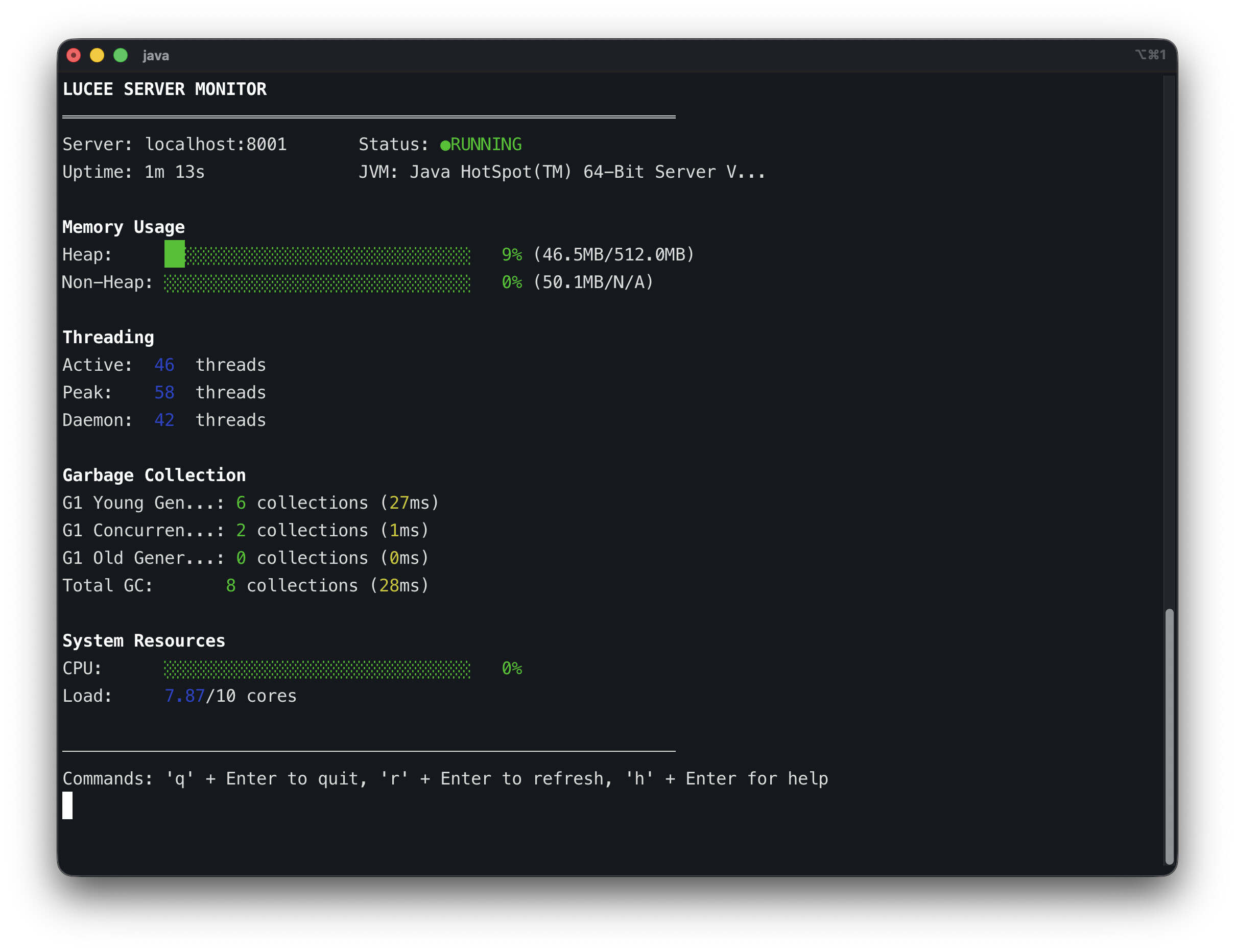
Built-in JMX integration provides an ASCII dashboard showing live server metrics - memory usage, thread counts, GC statistics, and Lucee-specific performance data. No need for external monitoring tools during development. I will be working more on this in the future so you get even more information from running servers, right in the cli!
Module System
Create and manage reusable LuCLI modules - custom commands that extend functionality. Perfect for team-specific workflows or project automation. This was the main purpose of this! I am working on a common interface for modules, and ways to install them.
CFML Script Execution
Run CFML scripts directly from the command line: lucli script.cfs. Great for automation tasks, CI/CD pipelines, or quick utilities. Also, you can run .lucli files with all the commands and modules too
#!/usr/bin/env lucli
echo "Hello World 1"
modules run hello-world
# or shortcut for a module
hello-world
Technical Highlights
Built with Java 17+ and leverages JLine 3 for advanced terminal features. The whole thing can be packaged as a self-executing binary (./lucli) for easy distribution - no need for explicit java -jar commands.
Configuration is project-based but respects global settings stored in ~/.lucli/, making it easy to maintain consistent environments across projects while allowing per-project customisation.
Current Status
LuCLI is actively under development and (nearly) functional for daily use. The core server management, monitoring, and terminal features are stable. I’m currently working on refining the module system and adding more developer convenience features.
Try It Out
The project is available on GitHub at GitHub - cybersonic/LuCLI: A CLI for Lucee.
I have also got docker bulds and windows versions so…
Feedback Welcome!!
I’d love to hear your thoughts! What would make this tool useful for your workflow? Are there pain points in your Lucee development process that a CLI could help solve?