Sorry to bring back an old thread, but I want to just ask again if there was a change i the way the WAR was created for lucee 6. I ask because the version I listed above here works fine when tomcat extracts the war, but it seems like any version I tried after it, does not work correctly.
Given that it wipes out all the setting and admin password on reset, it has something to do with CFconfig?
If I start with the older version and drop in the lucee core, I do not have any issues and the upgrade works just fine. I can also copy the updated web-inf folder to the broken install and that fixes the issue (of course I have to change the password and update the dbsource).
just checked, there’s nothing different in the war structure aside from the lucee.jar, between 6.2.0, .6.2.1 and the latest 6.2.4 RC (published friday announcement monday)
so it must be something else in lucee itself
anyway, these kinda bug repos are difficult to follow
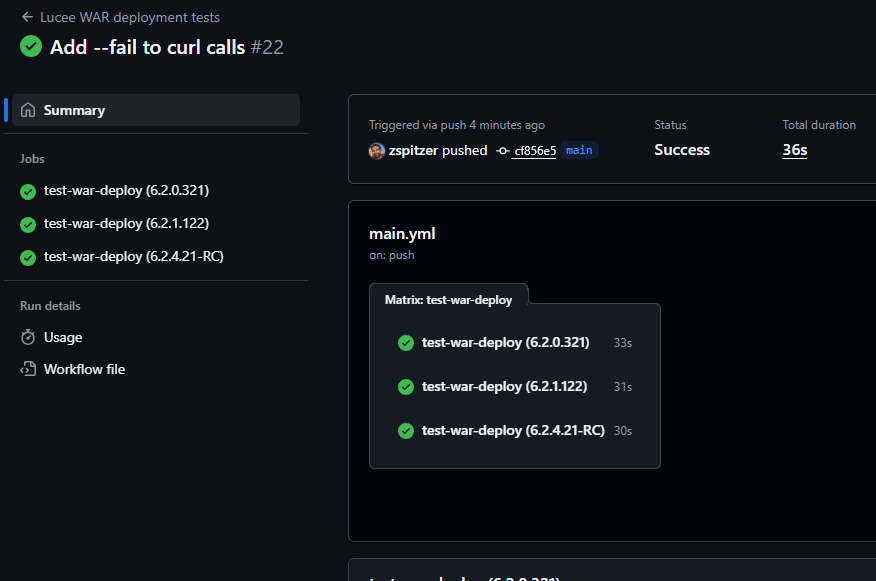
I’m setting up a test repo with github actions to test, if i can’t repo, can you the then fork to demo the problem?
It might help to clarify: are you still trying that on tomcat 9 (as when you started this thread) or tomcat 10 (which you later said you’d tried but had different problems with)?
@carehart Tomcat 10 needs the javax jars added, Tomcat 10 is jakarta, as 6.2 is jakata compat but javax based, 7 makes the switch to being jakarta based
*** I have not done RC yet but wanted to share this screen shot before I moved on ***
I downloaded all 3 wars from your links.
version 6.2.0.321 Works normally
version 6.2.1.122 went to lucee admin screen, created password.txt and put it where it needs to go, import password. Login to Lucee, click restart and get error (no need to do anything).
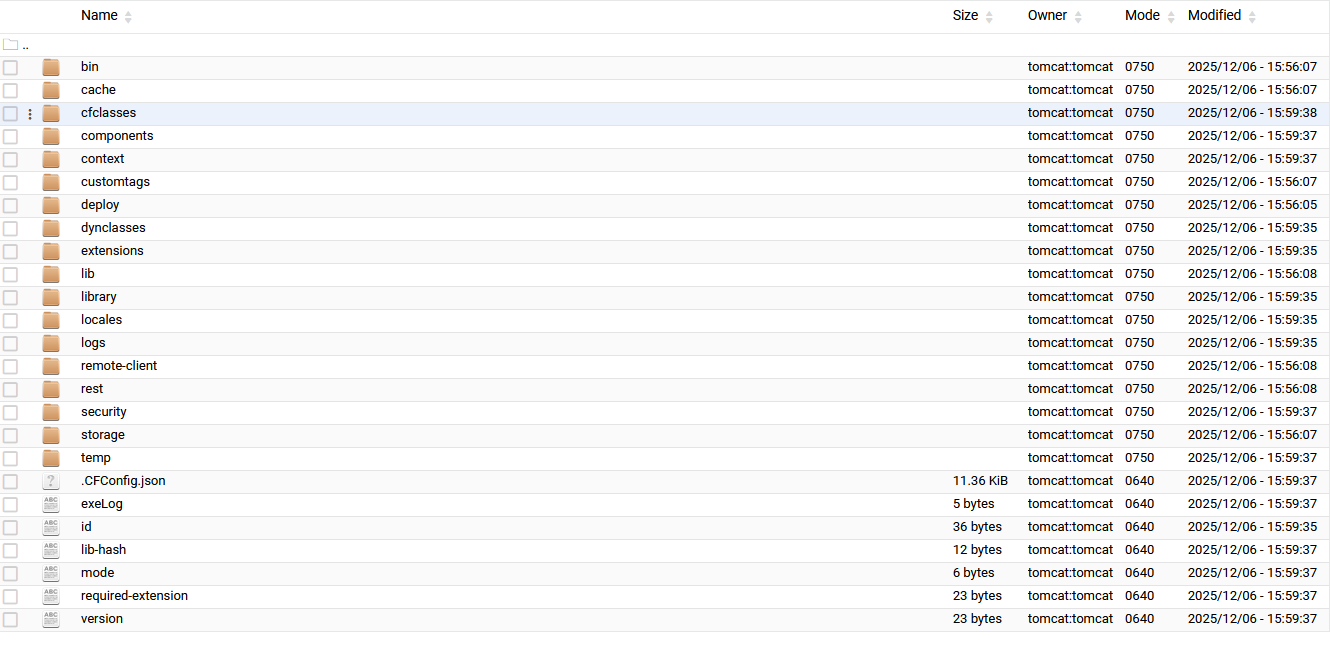
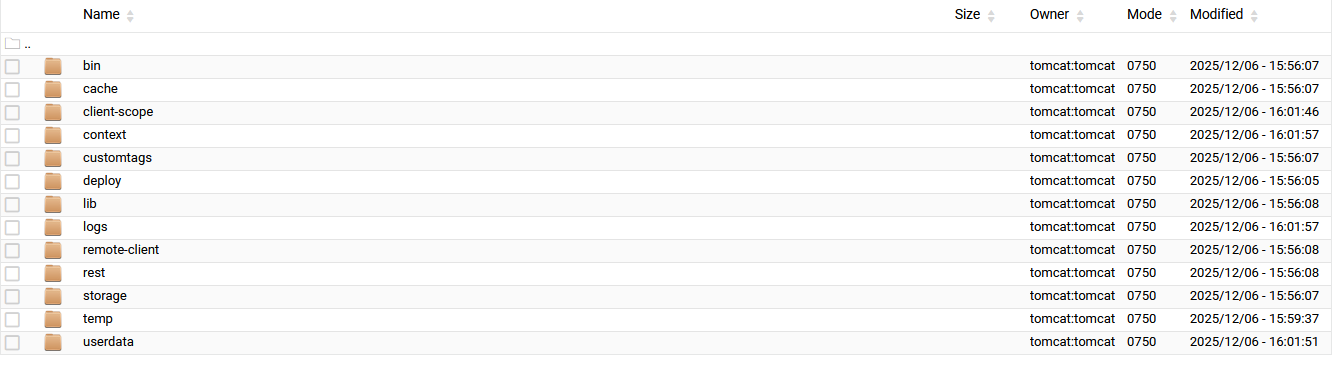
Here is the context directory before I press restart:
version 6.2.0.321 Works normally
version 6.2.1.122 and 6.2.4.21-RC: went to lucee admin screen, created password.txt and put it where it needs to go, import password. Login to Lucee, click restart and get error (no need to do anything).
They both produce the same directory structure when run.
If I restart Tomcat, the web-inf folder returns back to it’s just installed state, wanting the password.txt file
The same thing happens as if I pushed the restart link in Lucee Admin, leaving the same directory structure as shown in the above screenshots and restarting Tomcat restores missing files and puts Lucee back to password.txt.
Did a deep review, still can’t repo, but this stands out as possibly related, if you follow that log level troubleshooting it should log that warning to the console
All I have done is:
take the war, drop it into webapps,
stop tomcat,
take the WEB-INF and copy it to public_html directory of webserver,
start tomcat,
put the password.txt file in context,
in the Lucee admin panel, click the restart link.
I will look into the deeper log entries.
What I do not understand is, why when it is restarted (whether it be by rebooting server, restarting tomcat, or restarting inside Lucee Admin) that is deletes the files inside the context folder. When tomcat or the server is restarted, the deleted files are restored back to defaults, where as Lucee admin just crashes out. The new files have new time stamps.
It reminds me of when one leaves the .war file in webapps and restarts tomcat, all the files are replaced with what was in the war file.
The setup I used is Virualmin/Webmin. It comes with Apache and all the web services needed setup.
Then I install Tomcat (1 instance) and put the war in tomcat for extraction.
drop the war in webapps, it extracts itself.
turn off tomcat
copy the web-inf, meta-inf and assets to the public_html folder of the website
fstab bind folder from webapps to public_html
configure ajp for apache
configure server.xml hosts
start it all up.
This is how I have always done it. Then when I want another Lucee install, I repeat the above steps. Never had a problem until I got to a version of Lucee above 6.2.0.321.
With Lucee 7, I am now just running the installer for each installation of Lucee I want to use, and bind the lucee/tomcat/webapps/website to the public_html folder and edit the hosts.
On my next system upgrade I will be converting all my sites to individual lucee installs with their own ports. Since Tomcat will always use the same amount of resources whether it is one tomcat many lucees or many lucee/tomcats it does not matter. The only benefit is when one site crashes tomcat it won’t take them all with it.
By the same resources I mean, 1 site takes X amount of memory, 2 sites take X + X memory, so on and so forth, so just having multiple tomcats running is not going to take a whole lot me resources, just ports.
Then there is also the secret key for ajp, which does not need to be shared among all the ajp connectors when using multiple tomcats, and I am approaching the time where I will be marketing/selling my creations services, and therefore will not be the only one using lucee/tomcat.